![Type=Full, Color=Light, Lockup=Default@2x.png]](https://info.tractionag.com/hs-fs/hubfs/Type=Full%2c%20Color=Light%2c%20Lockup=Default@2x.png?height=32&name=Type=Full%2c%20Color=Light%2c%20Lockup=Default@2x.png)
Profit Centers show how much each part of your operation earns. Traction gives you two ways to track it: by crop or by field. You use one at a time.
|
Crop Profit Centers |
Field Profit Centers |
|
|---|---|---|
|
Shows profit by |
Crop, for each year (for example, 2026 Corn) |
Field |
|
What you do |
Choose the crop and year when you enter a payment, deposit, or bill |
Keep a field record for each field, and assign payments, deposits, and bills to your fields |
|
Effort |
Simplified |
Detailed: field records and inventory |
|
Best for |
Seeing how each crop did |
Seeing which fields make or lose money |
|
Available on |
All plans |
Traction Plus and Pro |
Which should I use?
- Choose Field Profit Centers if you want to know which fields earn the most or least, and you can keep field records up to date.
- Choose Crop Profit Centers if you mainly want to know how each crop did, or keeping field records is not practical right now.
- Already tracking by field? Keep going. You do not need Crop Profit Centers.
Not sure? Start with Crop. It is the easier way to get going, and Plus and Pro users can switch to Field later.
See your results
- Go to Accounting > Profit Centers.
- If you track by field, select View Field Profit Center Reports.
- To keep your setup current, select Manage crop years or Add Fields.
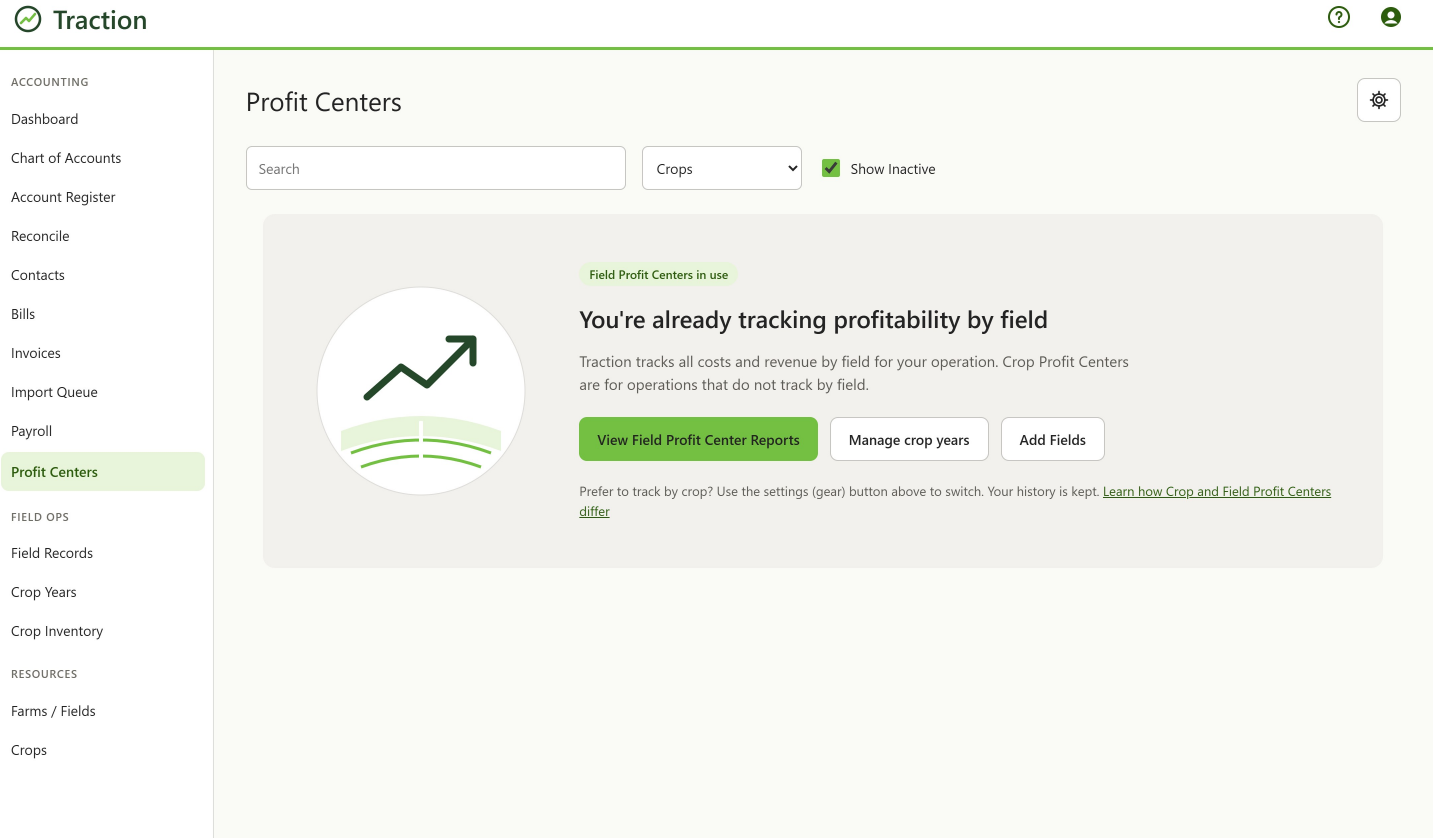
Switch between Field and Crop
Plus and Pro users can switch at any time.
- Go to Accounting > Profit Centers.
- Select Crops from the type drop-down.
- Select the settings (gear) button.
- Follow the prompts to switch. To go back, repeat these steps.
Note: Your history is kept when you switch.