![Type=Full, Color=Light, Lockup=Default@2x.png]](https://info.tractionag.com/hs-fs/hubfs/Type=Full%2c%20Color=Light%2c%20Lockup=Default@2x.png?height=32&name=Type=Full%2c%20Color=Light%2c%20Lockup=Default@2x.png)
This article applies to users who started trials after 8/31/26 and customers transitioning to the new subscription management platform.
How do I access the Billing Portal?
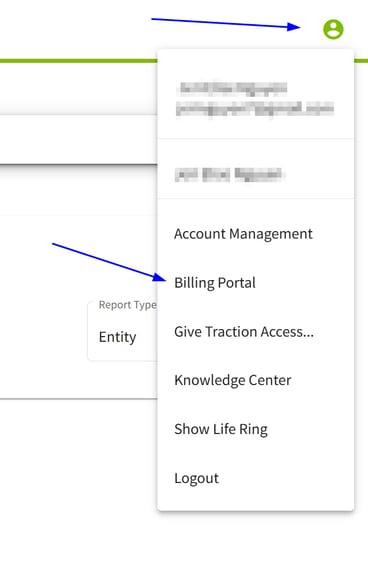
1. To access your Billing Portal, click on the green and white icon located at the top right hand side of the account, then click on Billing Portal.
2. Find Account Information, Billing & Shipping Addresses, Payment Methods, and Billing History. Click into any section to make changes. 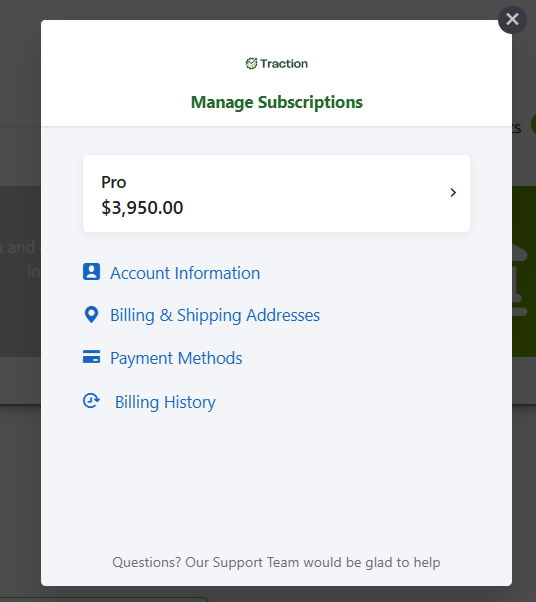
How do I add or update my payment method?
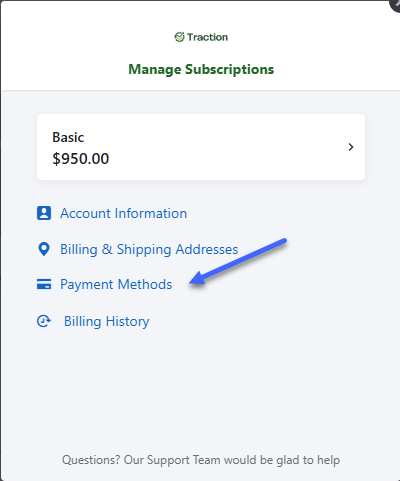
To add or update a payment method, go to the Billing Portal as described above. When the Manage Subscriptions dialog box opens, an option for Payment Methods will display. Click on Payment Methods.
In the Payment Method dialog box, Click Add New.
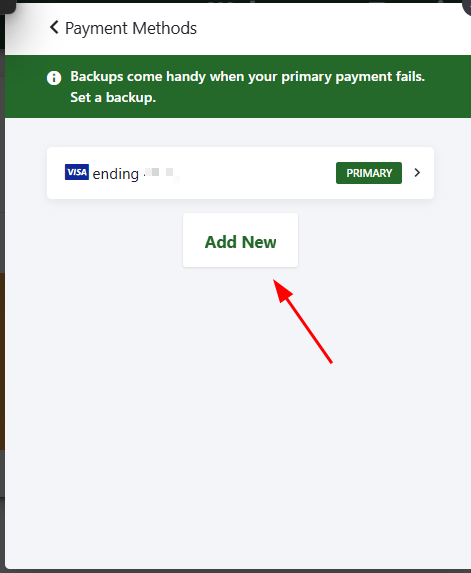
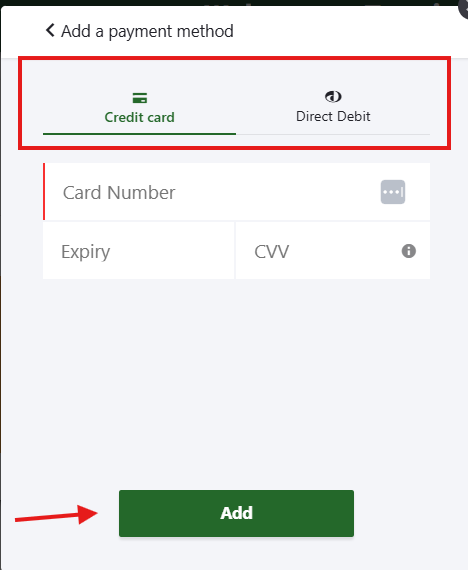
Add a new Credit Card or your Direct Debit information, then click Add.
Questions? Please contact our Support Team by calling 888-466-6080