![Type=Full, Color=Light, Lockup=Default@2x.png]](https://info.tractionag.com/hs-fs/hubfs/Type=Full%2c%20Color=Light%2c%20Lockup=Default@2x.png?height=32&name=Type=Full%2c%20Color=Light%2c%20Lockup=Default@2x.png)
Jump to a section
1. How do I move harvested crop to a supply inventory?
2. How do I move harvested crop to a livestock profit center?
Beta: Livestock Profit Centers are currently in beta, so the allocation steps in Section 2 may change as we gather feedback.
Move harvested crop inventory to a supply inventory
Use this workflow when you want to track the crop as a supply, such as seed, and use it later in field records.
This is a 2 step process and requires one deposit transaction, and one payment transaction.
Deposit Transaction
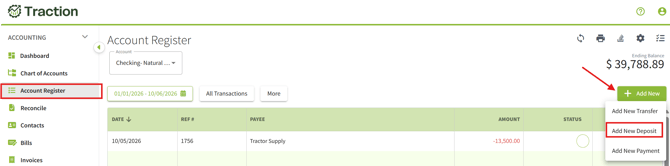
1. Go to Accounting > click on Account Register. Click on + Add New, then choose Add New Deposit.
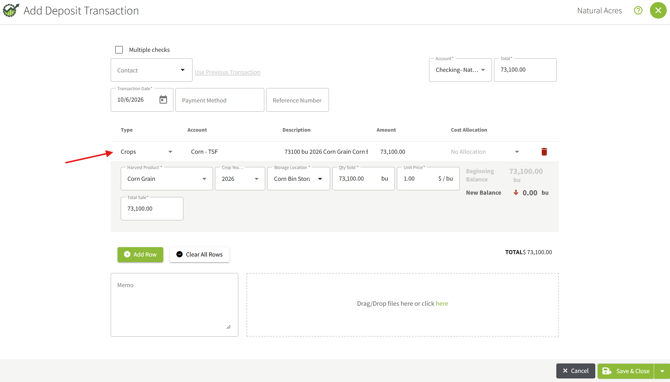
2. On the first line, change the Type to Crops and enter the harvested crop as a sale.
3. Click +Add Row, Leave the Type as Other. Select the crop revenue account, and enter the total as a negative amount. Click Save.
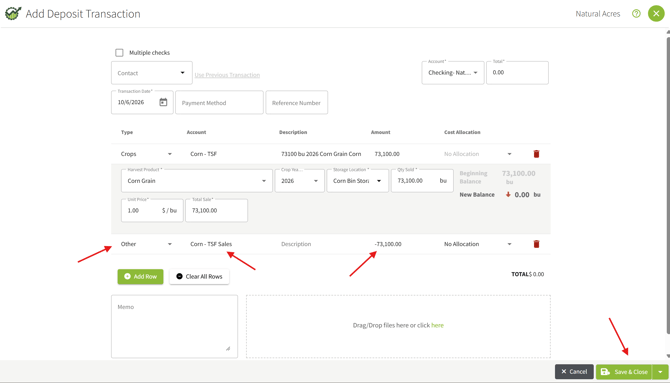
You will be prompted to calculate a new Average Price for the selected crop. 
Payment Transaction
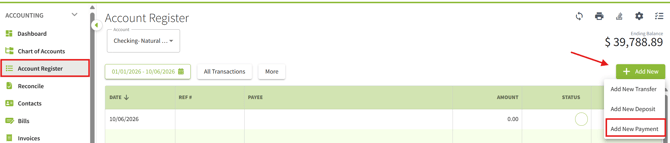
1. Go to Accounting > click on Account Register. Click on + Add New, then choose Add New Payment.
2. One the first line item, change the Type to Inputs. Enter the input with the crop year that the input will be used.
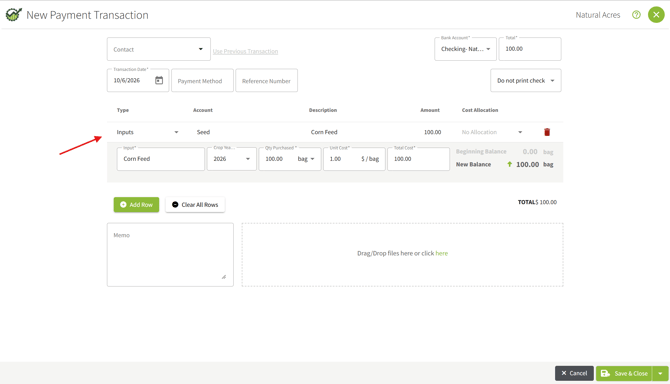
3. Click +Add Row, Leave the Type as Other. Select the input expense account, and enter the total as a negative amount. Click Save.
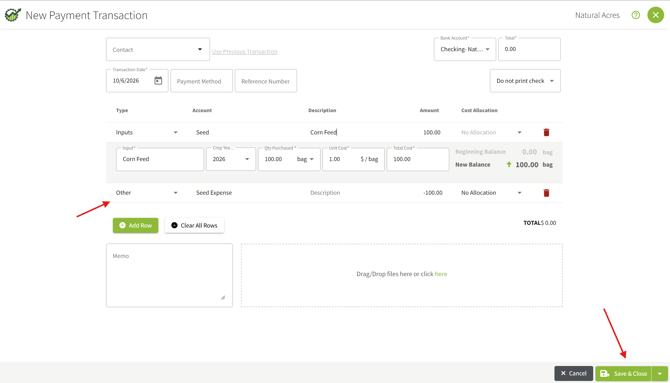
You will be prompted to calculate a new Average Price for the selected Input.

The seed supply inventory is now recorded and ready to use.
Move harvested crop inventory to a supply inventory
Use this method to remove the crop from harvested inventory and record it as feed for a livestock group in one transaction. The feed cost then appears on the group's profit center.
1. Go to Accounting > click on Account Register. Click on + Add New, then choose Add New Deposit.
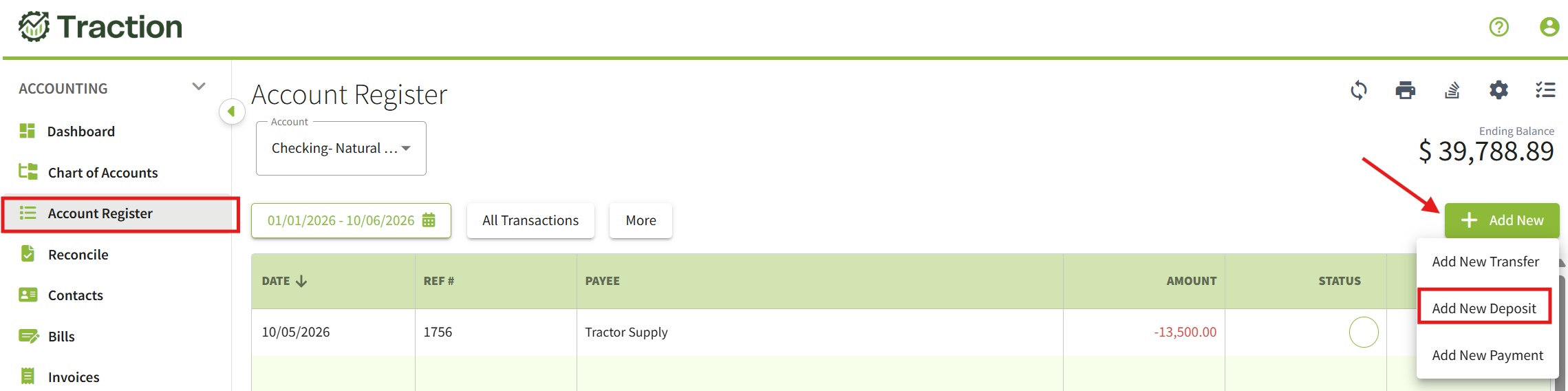
2. On the first line, change the Type to Crops and enter the harvested crop as a sale.
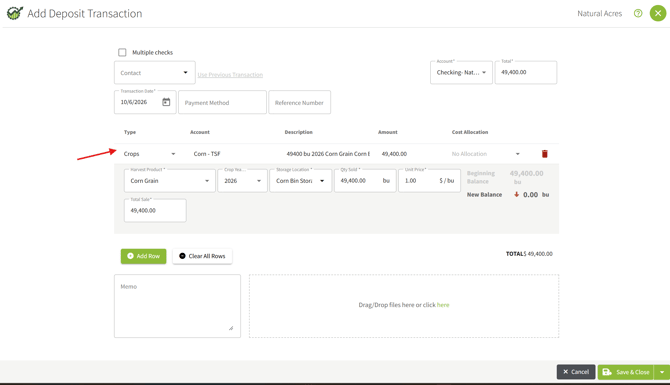
3. Click +Add Row, Leave the Type as Other. Select the livestock feed expense account (for example Livestock Feed), and enter the total as a negative amount.
Click the Cost Allocation field, select Livestock, choose the profit center (or centers) the feed went to, and click Save.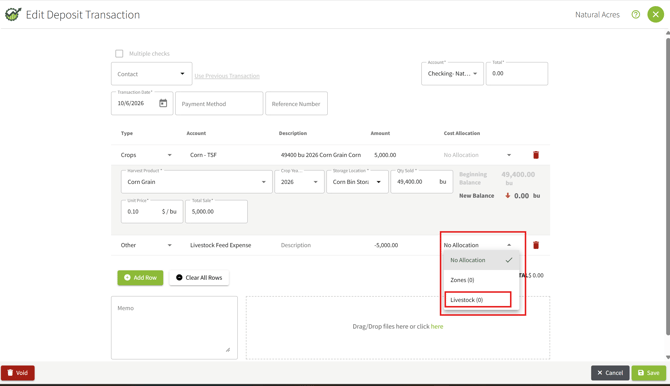
You will be prompted to calculate a new Average Price for the selected Input.

Learn more: For details on allocating to more than one group, see How do I manage Livestock Profit Centers?