![Type=Full, Color=Light, Lockup=Default@2x.png]](https://info.tractionag.com/hs-fs/hubfs/Type=Full%2c%20Color=Light%2c%20Lockup=Default@2x.png?height=32&name=Type=Full%2c%20Color=Light%2c%20Lockup=Default@2x.png)
You will need a Plus subscription to access the Invoicing feature. Visit our plans and pricing page to learn more.
Create Invoice for Future Payment & Reduce Harvested Inventory
You will need to reflect that you'll receive income for this grain in the future and reduce the harvested crop. To do this, we'll use the invoice feature.
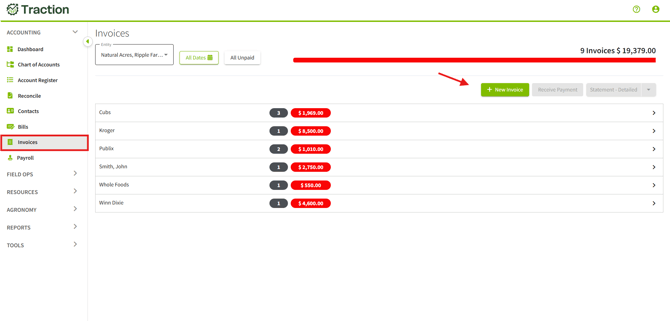
1. Navigate to Invoices and click on +New Invoice.
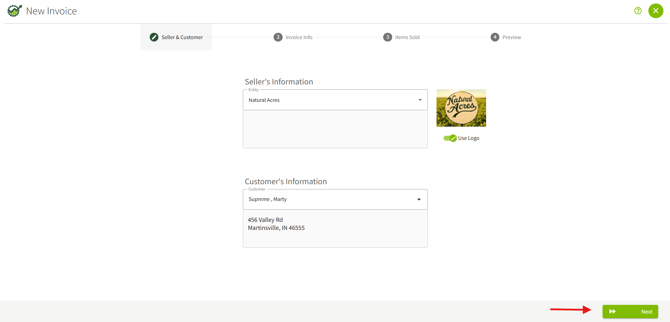
2. Fill out the Seller's information, the Customer's information and click Next.
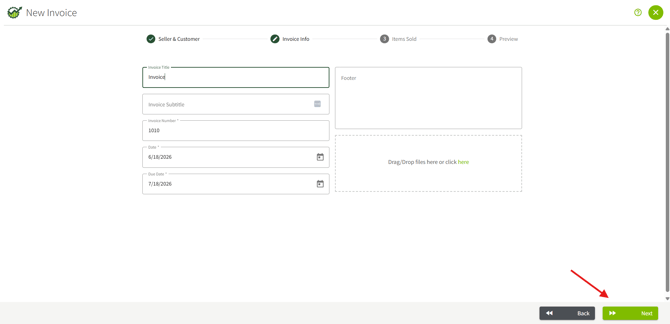
3. Fill out the Invoice Info and then click Next.
4. Find the Crops category, click +Crops. Fill out the specifics of what you sold. Click Next.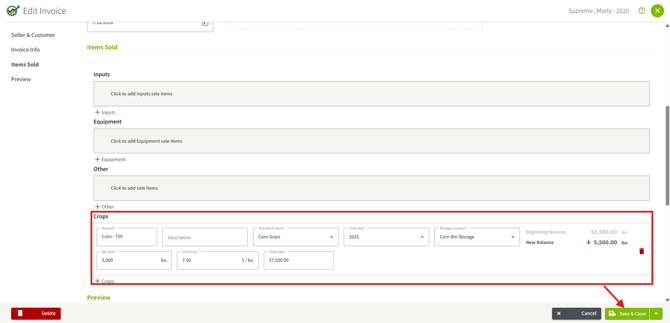
5. Preview your Invoice, then click Save & Close.
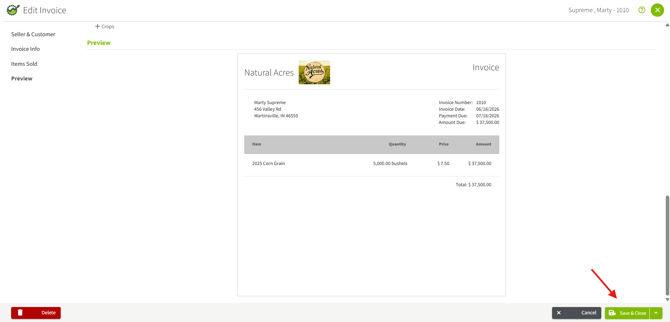
Once you save the invoice, the future revenue will show under Accounts Receivable. When you receive the check for the deferred grain, you’ll go back in and mark the invoice as paid. This will move the amount from Accounts Receivable to the appropriate crop sales account on your income statement.
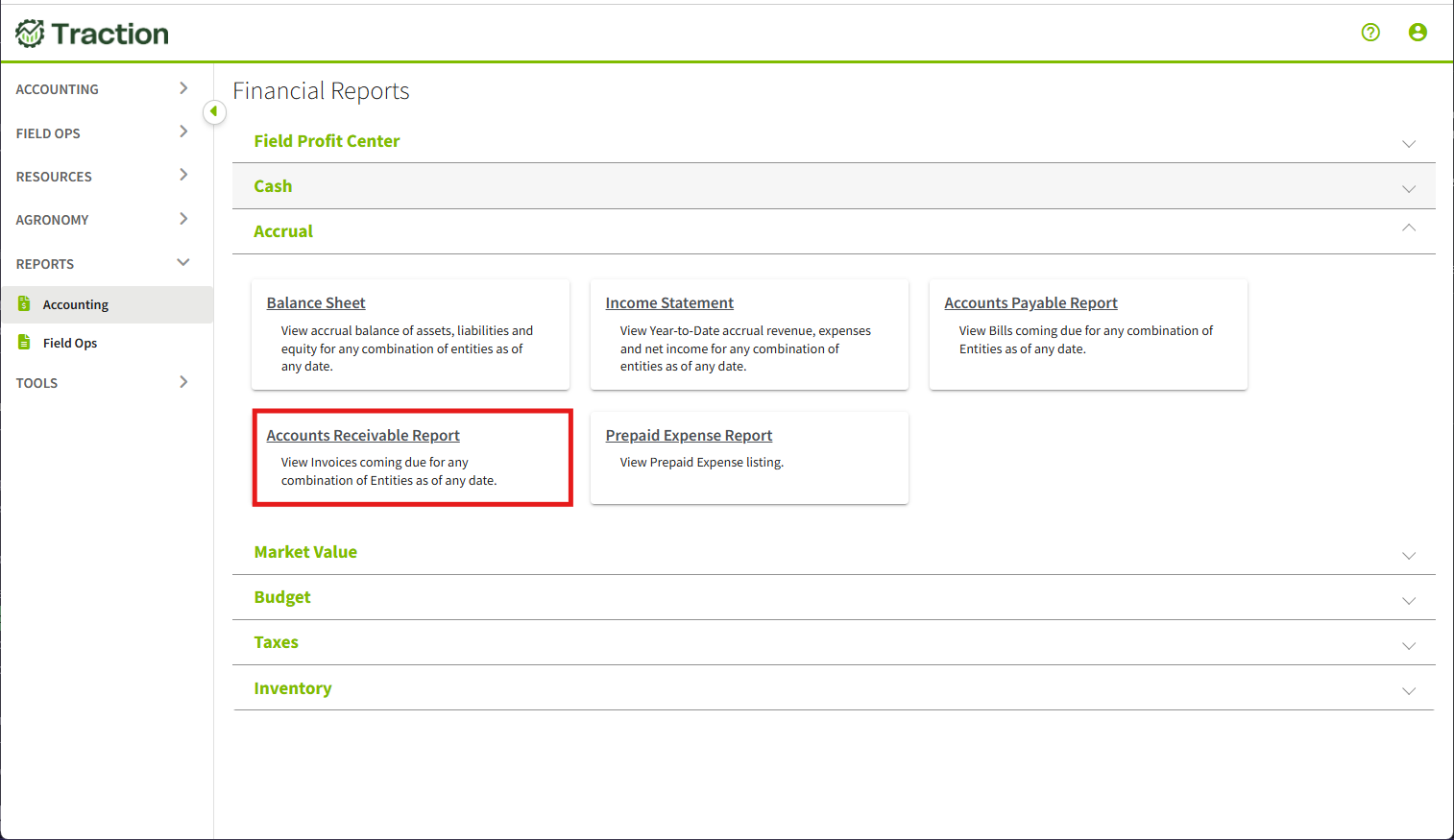
The Accounts Receivable report can be found by navigating to Reports > Accounting > Accrual > Accounts Receivable Report.