![Type=Full, Color=Light, Lockup=Default@2x.png]](https://7191758.fs1.hubspotusercontent-na1.net/hub/7191758/hubfs/Type=Full%2c%20Color=Light%2c%20Lockup=Default@2x.png?height=32&name=Type=Full%2c%20Color=Light%2c%20Lockup=Default@2x.png)
-
Revenue and Expense and Drawing/Dividend accounts reflect activity from the start of the fiscal year through the selected date.
-
When selecting multiple entities, all must share the same year-end date.
1. On the left hand menu, click on Reports and then click on Accounting. Expand the Cash section and click on Trial Balance.
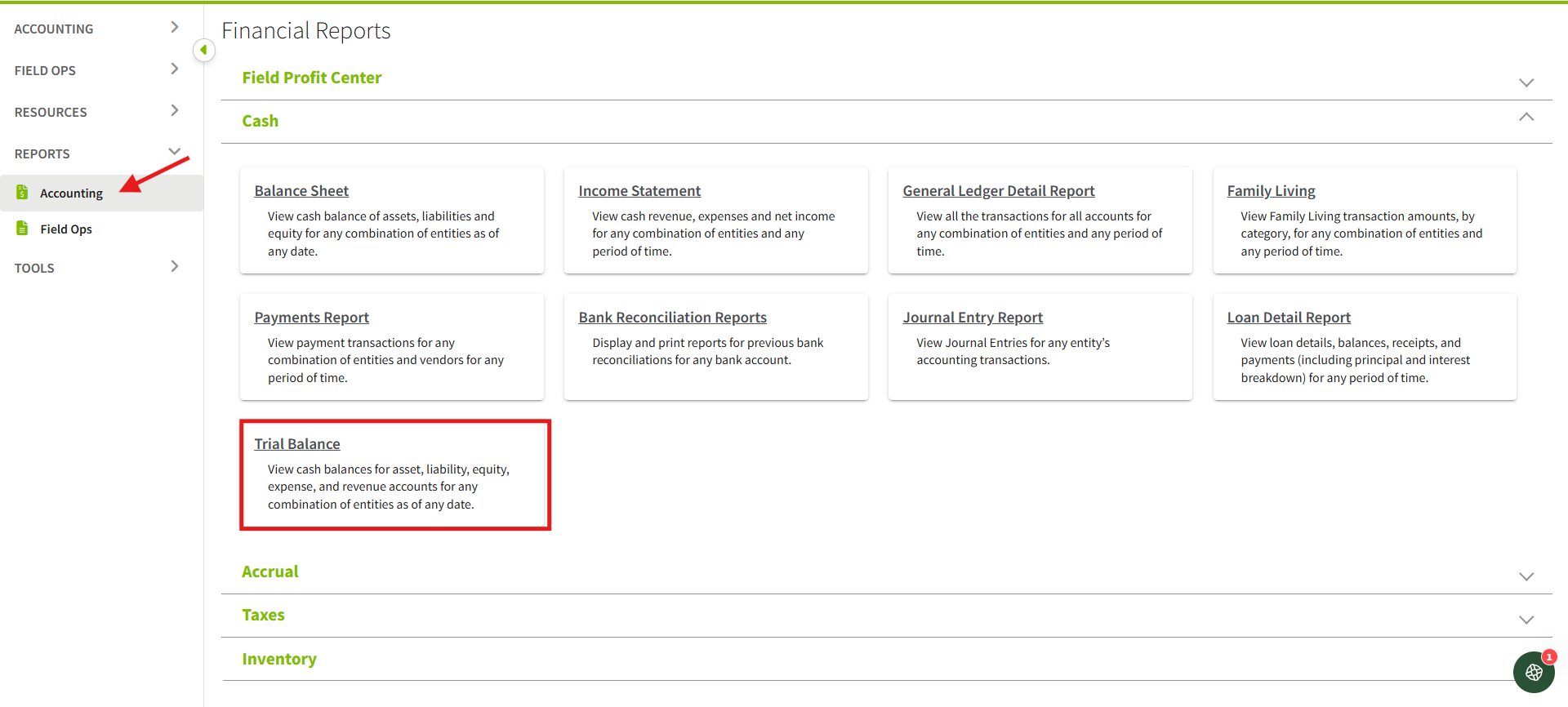
2. Select an ''As of'' date, and choose one or more entities. You will have an option to enable or disable Hide Zero Balance Accounts, then click Update Report.
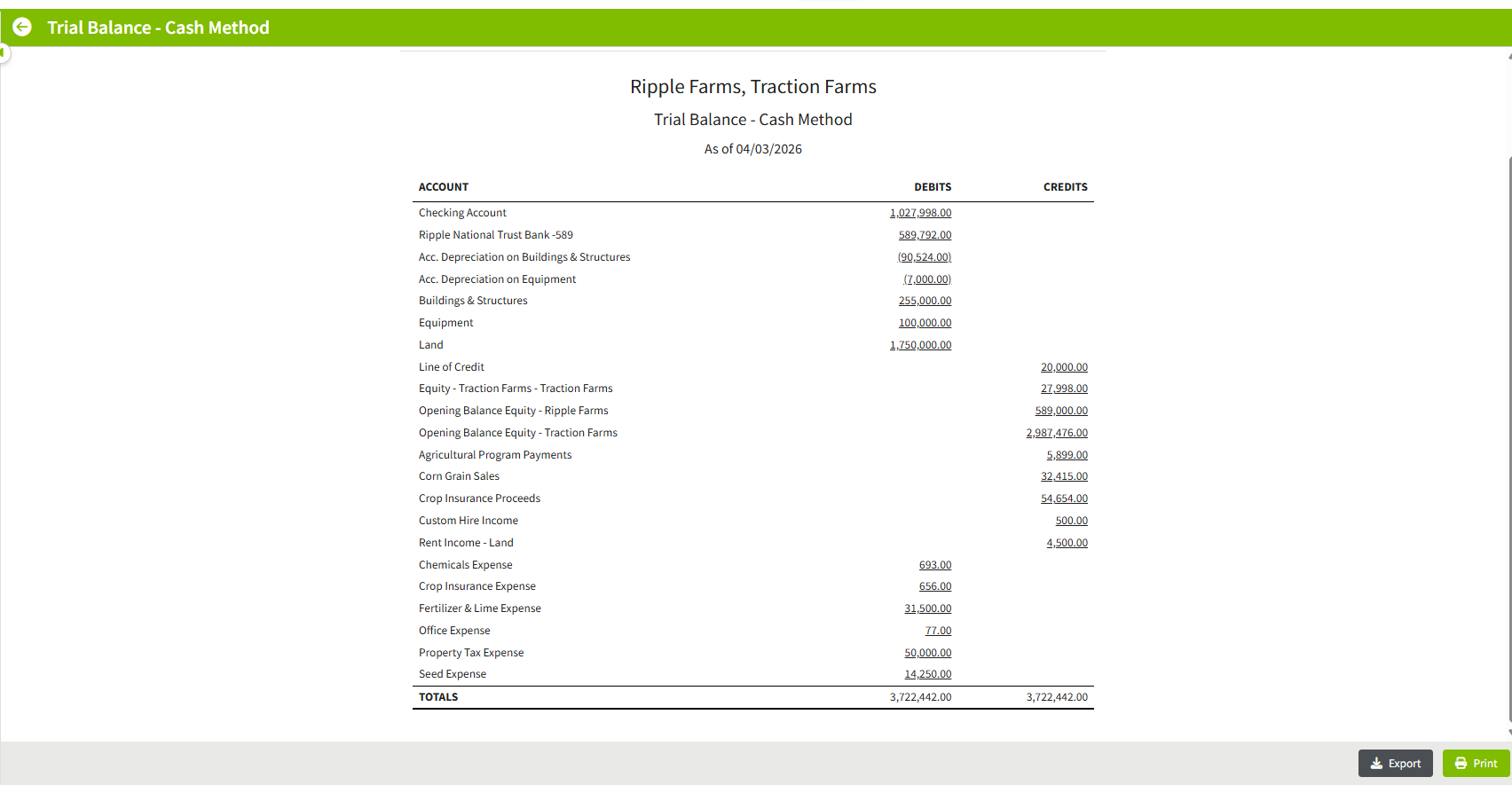
- Debit & Credit Columns
Displays balances for each account in standard accounting format - Balanced Totals
Confirms totals where:- Total Debits = Total Credits
- Drill-Down Capability
Click on any account balance to view the underlying transactions - Export & Print Options
- Export as CSV
- Print for reporting or sharing